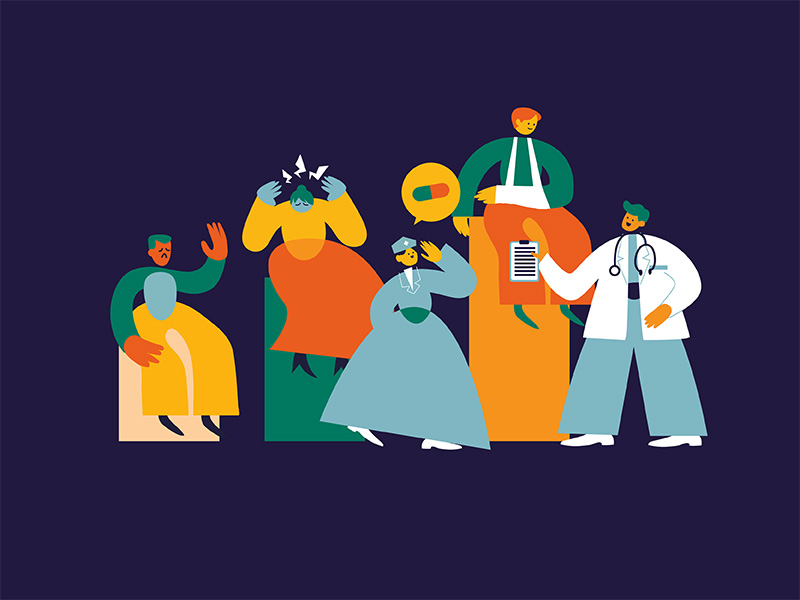
The best medical animation software depends on whether you are making 2D or 3D: Adobe After Effects and Toon Boom Harmony lead for professional 2D, Moho and Pencil2D suit smaller budgets, and Blender, Maya and Cinema 4D cover 3D, with Blender free. For molecular work, the free Molecular Nodes add-on brings real protein structures into Blender.
Below are the 8 tools compared by format, best use, pricing model and learning curve, followed by a profile of each, how to choose, the challenges of making medical animation yourself, and when hiring a studio makes more sense. Prices were checked in November 2026; vendors change pricing often, so confirm on each official site.

8 Medical Animation Software Tools at a Glance
| Software | Format | Best for | Pricing model | Learning curve |
| Adobe After Effects | 2D (some 3D) | Motion graphics, medical explainers, compositing | Subscription, US$22.99 per month on an annual plan; 7-day trial | Moderate |
| Moho | 2D | Rigged character animation | One-time purchase, Debut and Pro editions; free trial | Easy to moderate |
| Toon Boom Harmony | 2D | Hand-drawn and cut-out animation | Subscription, Essentials, Advanced and Premium; 14-day trial | Moderate to high |
| Pencil2D | 2D | Simple hand-drawn animation, learning | Free and open source | Easy |
| Autodesk Maya | 3D | Detailed anatomy, rigging, simulation | Subscription from US$168 per month on monthly billing, less on annual plans; Maya Indie for eligible small businesses; 30-day trial | Difficult |
| Blender | 3D | A full 3D pipeline on any budget | Free and open source | Moderate to difficult |
| Cinema 4D | 3D | 3D motion graphics alongside After Effects | Subscription, cheaper on annual billing; also in the Maxon One bundle | Moderate |
| Molecular Nodes | 3D molecular (Blender add-on) | Real protein structures, molecular dynamics, cryo-EM maps | Free and open source (MIT licence) | Moderate, requires Blender |
2D Medical Animation Software
1. Adobe After Effects
Adobe After Effects is the industry standard for motion graphics, compositing and visual effects. For medical work, it handles animated diagrams, labelled anatomy, data, titles and character animation, and it integrates with Illustrator, Photoshop and Premiere Pro. At F. Learning Studio, After Effects is the main animation tool in our 2D pipeline; the SimpleNursing video below shows the kind of 2D medical animation that pipeline produces.
- Key features: motion graphics, visual effects, compositing, keyframe animation, Creative Cloud integration.
- Pricing: US$22.99 per month on an annual plan, billed monthly, with a 7-day free trial.
2. Moho
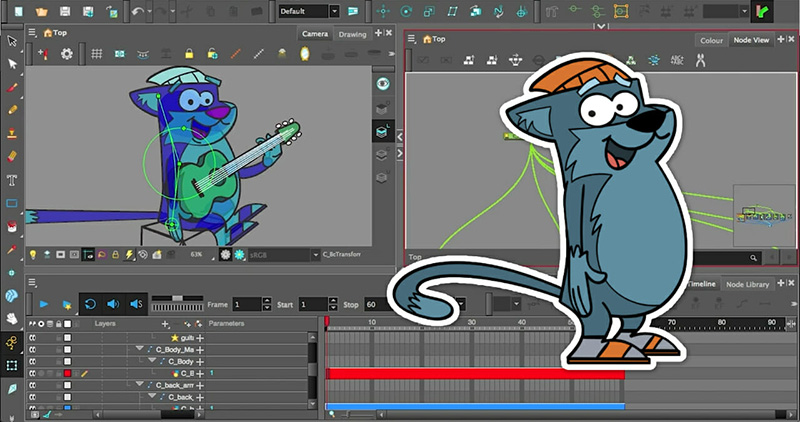
Moho, formerly Anime Studio, is a 2D tool that suits character-led medical content such as 2D medical animation for patient education and safety videos. Its bone rigging lets one character drawing be posed and reused across many scenes, which saves time on series.
- Key features: bone rigging and Smart Bones, vector and bitmap tools, frame-by-frame animation, timeline control.
- Pricing: one-time purchase, with Moho Debut 14 for beginners and Moho Pro 14 for professionals, plus a free trial.
3. Toon Boom Harmony
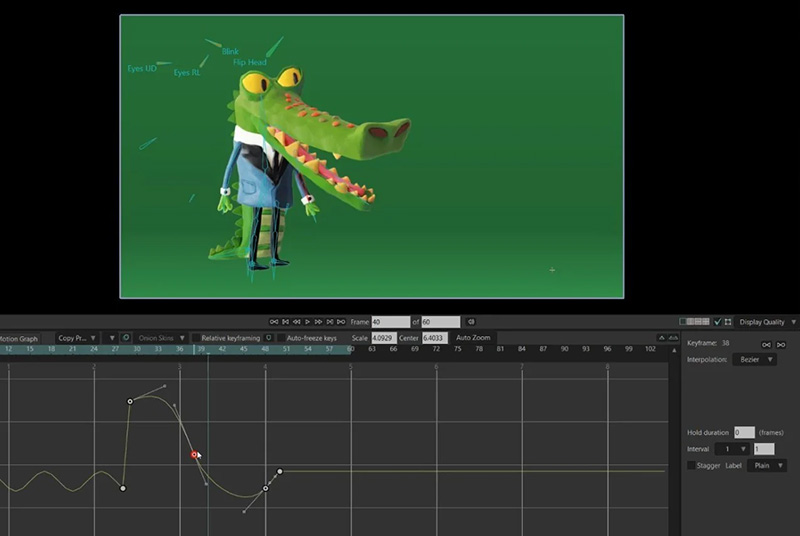
Toon Boom Harmony is a professional 2D tool for hand-drawn and cut-out animation, used widely in television and film. For medical work, its rigging and deformers suit polished character animation, and its drawing tools suit frame-by-frame sequences.
- Key features: rigging, deformers, hand-drawn and cut-out animation, compositing, vector and bitmap drawing.
- Pricing: subscription in three editions, Essentials, Advanced and Premium, with a 14-day free trial.
4. Pencil2D
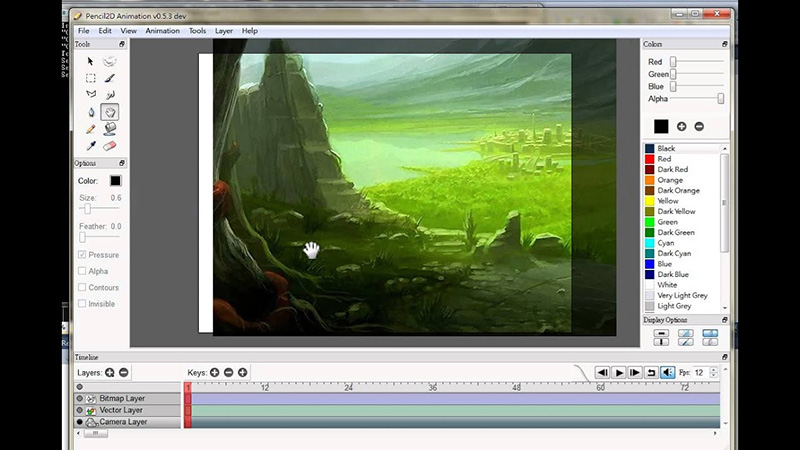
Pencil2D is a free, open-source tool for traditional hand-drawn animation. It is lightweight, runs on Windows, macOS and Linux, and is a good place to learn the basics or sketch an animatic before committing to a paid tool.
- Key features: raster and vector drawing, simple timeline, traditional animation tools, cross-platform.
- Pricing: free.
3D Medical Animation Software
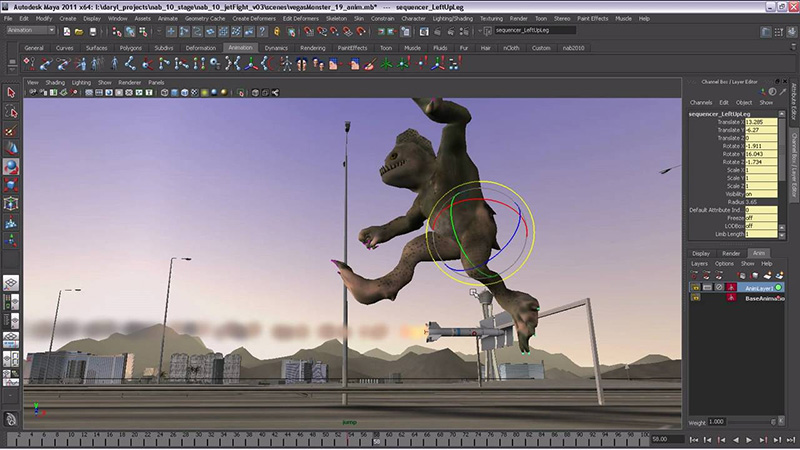
5. Autodesk Maya
Autodesk Maya is a professional 3D package for modelling, rigging, simulation and rendering, used across film, television and games. For 3D medical animation, it suits detailed anatomical models and complex surgical or device sequences, but it has the steepest learning curve on this list.
- Key features: 3D modelling and animation, advanced rigging, simulation, node-based workflow, high-quality rendering, plugin support.
- Pricing: subscription starting at US$168 per month on monthly billing, with annual and three-year plans cheaper per month; Maya Indie offers a lower price to eligible small businesses; 30-day free trial.
6. Blender
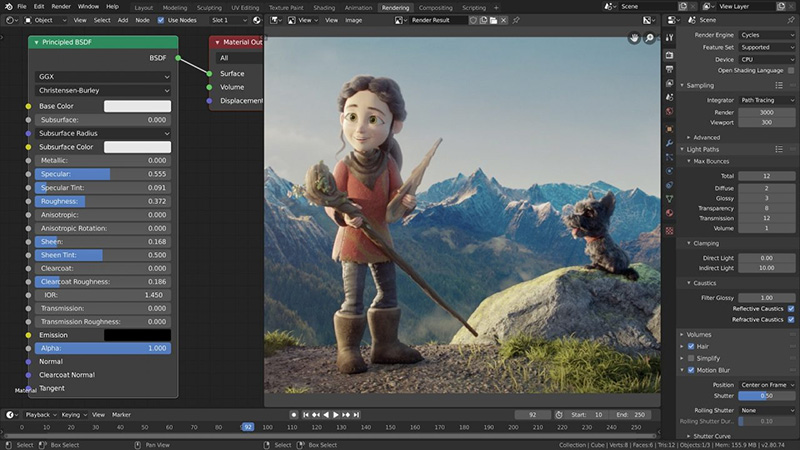
Blender is a free, open-source 3D suite that covers the whole pipeline: modelling, sculpting, rigging, simulation, rendering with Cycles and Eevee, compositing and video editing. An active community builds add-ons, including scientific tools such as Molecular Nodes below.
- Key features: modelling and sculpting, animation and rigging, fluid, smoke and particle simulation, Cycles and Eevee rendering, compositing.
- Pricing: free.
7. Cinema 4D
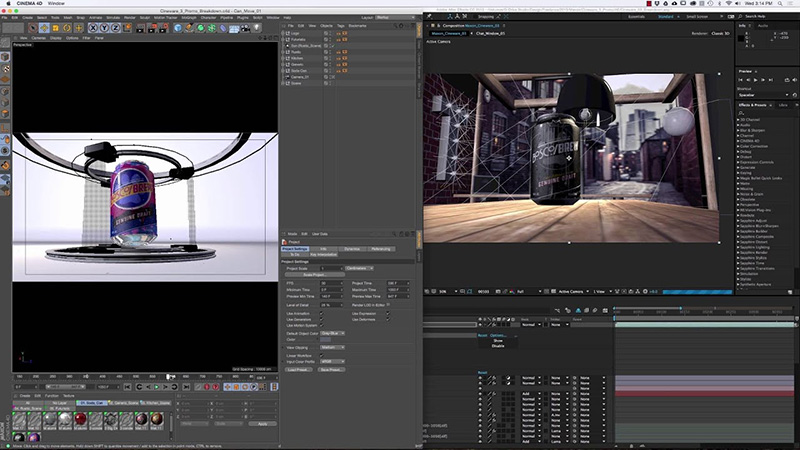
Cinema 4D by Maxon is a 3D tool known for stability and its motion graphics toolkit, MoGraph. It works closely with After Effects, which makes it a common choice for studios that mix 2D explanation with 3D hero shots of a device or organ.
- Key features: modelling and sculpting, MoGraph, simulation, high-quality rendering, After Effects integration.
- Pricing: subscription, with annual billing cheaper than monthly; also available in the Maxon One bundle.
8. Molecular Nodes (Blender Add-on)
Molecular Nodes is a free, open-source add-on that imports real molecular data into Blender: protein structures from PDB and mmCIF files, molecular dynamics trajectories, and cryo-EM and tomography maps. For mechanism-of-action and biology animation, it means a drug target can be built from its published structure rather than modelled by eye.
- Key features: PDB and mmCIF import, molecular dynamics trajectories, cryo-EM maps, built on Blender’s Geometry Nodes.
- Pricing: free, MIT licence.
How to Choose Medical Animation Software
| If you need | Start with |
| Explainers, labelled diagrams and motion graphics | Adobe After Effects |
| Reusable characters for a patient or training series | Moho, or Toon Boom Harmony for higher-end work |
| Hand-drawn animation on no budget | Pencil2D |
| Detailed 3D anatomy or devices with a professional pipeline | Autodesk Maya |
| 3D on no budget, or open-source tools for a team | Blender |
| 3D motion graphics alongside a 2D After Effects workflow | Cinema 4D |
| Accurate proteins and molecular mechanisms | Blender with Molecular Nodes |
Two practical checks: whether the tool runs on your team’s computers, and whether its file formats fit the rest of your workflow, such as Illustrator artwork or a learning management system.
4 Challenges of Making Medical Animation Yourself

1. Technical Skill
Professional tools assume skills in illustration, rigging, animation timing and, for 3D, modelling, lighting and rendering. Crashes, plugin conflicts and file compatibility issues can also stall a project.
2. Medical Accuracy
Software does not check anatomy or pharmacology. Turning medical knowledge into correct, clear visuals needs subject expertise and a reviewer, and a polished animation with an error can mislead patients or staff.

3. Cost and Time
Licences, plugins and capable hardware add up, and detailed medical animation takes time for research, scripting, design, animation and rendering. See how much medical animation costs when produced by a studio, to compare against doing it yourself.
Compare doing it yourself with hiring a studio
Set the style, length and complexity, and see what a studio would charge before you buy licences and start learning.
Open the animation cost calculator About two minutes. No email required to see the estimate.4. Training and Upkeep
Medical animators need both software skills and knowledge of anatomy, procedures and medicines, and both change. Budget time for training and for keeping content current as guidelines are updated.

Software or Studio? When to Hire F. Learning Studio
If your team has animation skills and the time to learn, the tools above can produce good medical animation in-house. Our guide on how to make medical animation videos walks through the DIY steps. If you need medical accuracy, a series or a fixed deadline without building an animation team, F. Learning Studio can produce it for you.
- End to end. We handle scripting, illustration, animation, voiceover and editing for patient education, staff training, procedures and devices.
- Expert review built in. Scripts and storyboards are reviewed before animation starts, which keeps late changes small.
- Rates that stretch further. As a Vietnam-based studio, our rates are typically around 30% below comparable US-based companies.

Since 2016, we have produced medical animation for organisations including the NHS, Stanford University, IntelyCare and SimpleNursing.
Where to Start
Choose the format first, 2D or 3D, then the tool that fits your budget and skills: After Effects or Harmony for professional 2D, Blender or Maya for 3D, and Molecular Nodes when molecules have to be exact. If the deadline or the accuracy stakes are high, compare the cost of a studio before you invest in licences and learning time.
Rather skip the software and get the animation?
Tell us the topic, the audience and the deadline. In 30 minutes you will get a recommended style, a scoped figure, and a production timeline with medical review built in.
Producing healthcare animation since 2016 · 5.0 rating on Clutch · Trusted by the NHS, Stanford University and SimpleNursing
- WhatsApp: (+84) 378 713 132
- Email: [email protected]
- Fanpage: https://www.facebook.com/f.learningstudio
- LinkedIn: https://www.linkedin.com/company/f-learning-studio/
FAQs About Medical Animation Software
What is the best software for medical animation?
For professional 2D, Adobe After Effects and Toon Boom Harmony. For 3D, Autodesk Maya, Blender and Cinema 4D. For molecular animation, Blender with the Molecular Nodes add-on. The best choice depends on 2D or 3D, budget and your team’s skills.
Is there free medical animation software?
Yes. Blender is a free, open-source 3D suite, Molecular Nodes is a free Blender add-on for molecular structures, and Pencil2D is a free 2D tool for hand-drawn animation.
What software do medical animation studios use?
Most combine several tools: Illustrator or Photoshop for artwork, After Effects for 2D animation and compositing, a 3D package such as Maya, Blender or Cinema 4D for 3D work, and Premiere Pro or similar for editing and sound.
Which software is best for 3D medical animation?
Autodesk Maya is the professional standard for detailed anatomy and rigging, Blender is a capable free alternative, and Cinema 4D suits 3D motion graphics alongside After Effects. Add Molecular Nodes in Blender for protein-level accuracy.
Can AI tools create medical animation?
AI tools can speed up parts of production, such as draft scripts, voiceover or background art, but they do not guarantee anatomical or pharmacological accuracy. Any AI-assisted medical animation still needs expert review before release.
How long does it take to learn medical animation software?
Basic 2D tools such as Pencil2D can be learned in days. Professional 2D tools such as After Effects or Harmony take months to use well, and 3D packages such as Maya or Blender usually take longer, before adding the medical knowledge the work requires.
Read more:
- How to Make Medical Animation Videos: 2 Key Methods
- 2D or 3D Healthcare Animation: How to Choose
- Is 3D Animation Cheaper Than 2D?
- Top 10 Medical Animation Companies

Sean Bui, the founder and creative director of F. Learning Studio, is a respected leader in the e-learning and multimedia production industry.
With over 10 years of experience, he has dedicated his career to helping organizations create engaging and impactful learning experiences. Under his leadership, F.Learning Studio has grown into a trusted partner for organizations in the education, healthcare, and corporate training sectors, producing over 2,000 minutes of educational animation.
Sean’s expertise in translating complex concepts into compelling animated videos and interactive learning experiences, as well as his active involvement in the e-learning community, have earned him a reputation as a trusted partner and thought leader in the field of educational technology.