5 tips to transform your ILT onboarding training into a binge-worthy eLearning experience – because let’s be honest, most onboarding is a snoozefest. Endless slide decks. Robotic facilitators. Zero retention. Studies show forgetting kicks in within 20 minutes of traditional training. Worse yet, dull onboarding can delay productivity by up to 34%.
This article reveals how to turn your ILT content into something people want to finish, not something they have to. Inside, you’ll find:
- 5 practical tips to restructure and repurpose your ILT content
- 3 storytelling secrets that drive real engagement
- A real-world case where onboarding became a breakout hit
If you’re done with “next-next-finish” training, let’s flip the script!
Why Traditional Onboarding Training Fails to Stick
The Problem: New Hires Forget, Fast
Think back to your own first week at a new job – how much of that initial training do you still remember? Chances are, not much. That’s because traditional onboarding often relies on information dumps: dense PowerPoints, rushed ILT sessions, and one-size-fits-all manuals.
The Impact: Low Retention, High Frustration
The issue isn’t just boredom – it’s wasted effort. Cognitive science tells us that learners forget up to 70% of new information within 24 hours if it’s not reinforced or made meaningful. New hires feel overwhelmed, unsure what matters, and end up relying on trial-and-error to figure things out.
Meanwhile, managers waste time repeating instructions that should have been clear the first time. Worse, inconsistent delivery across departments creates knowledge gaps that lead to avoidable mistakes.

The Insight: Engagement Is the Missing Ingredient
What’s missing isn’t just clarity – it’s emotional connection. Great onboarding doesn’t just inform; it orients. It gives new hires confidence, shows them what success looks like, and answers the silent questions they’re afraid to ask.
This is where binge-worthy eLearning shines: by mirroring how people naturally consume content (in short, emotionally resonant chunks), it transforms onboarding into something learners actually want to complete.
Stat or Analogy
According to Gallup, only 12% of employees strongly agree their organization does a great job onboarding – yet companies with strong onboarding improve new hire retention by 82%.
Think about that: a small shift in approach could mean the difference between disengagement and long-term loyalty.
Takeaway: If your current onboarding still feels like a lecture hall in disguise, it’s time to rethink the format. In the next section, we’ll explore how to shift your goals from “what they need to know” to “what they need to do.”

Feeling the pain of forgettable onboarding?
Tip #1 – Reframe Your Learning Goals into Learner Actions
The Problem: Learning Objectives That Sound Good but Do Nothing
Many ILT onboarding programs begin with well-intentioned goals like:
- “Understand company values”
- “Know the security policy”
- “Learn the communication process”
But here’s the catch – these goals are passive. They sound instructional, but they don’t drive behavior. And behavior is what makes training stick.
The Impact: Learners Don’t Know What to Do – Even If They “Know” the Info
When goals are abstract, new hires finish the course unsure how to apply what they just learned. They may recall a slide about “professional communication,” but freeze when facing a frustrated customer or a sensitive Slack message.
That knowledge-intention gap leads to hesitation, mistakes, and frustration – both for the new hire and their manager.
The Solution: Action-Based Goals with Clear Visual Anchors
Instead of asking “What should they know?”
Ask: “What should they be able to do by the end of this lesson?”
Examples:
❌ ILT-style: “Know the company’s core values”
✅ eLearning-style: “Spot when a decision aligns (or doesn’t) with our core values”
❌ ILT-style: “Understand how to write status reports”
✅ eLearning-style: “Write a weekly update using the team’s 3-part structure”
These changes shift the focus from awareness to application, making it easier to design modules that feel real and relevant.
| ❌ ILT Objective | ✅ Transformed eLearning Action |
| Understand the code of conduct | Choose the right response in a grey-area scenario |
| Know the reporting hierarchy | Decide who to update when faced with a client issue |
| Learn company mission | Identify how your daily work supports the mission |
Takeaway: Binge-worthy onboarding doesn’t start with content – it starts with clarity. When your learning goals are framed as actions, everything that follows (scripts, visuals, interactions) becomes more purposeful. And your learners? They walk away ready to perform, not just remember.
Tip #2 – Script for Emotion, Not Just Information
The Problem: Dry Content Kills Curiosity
Most onboarding content is written like a manual. Bullet points, procedures, jargon. It might be technically accurate – but emotionally, it’s dead.
New hires don’t just need to learn – they need to feel welcome, supported, and motivated. And yet, most ILT scripts are so focused on compliance and clarity, they forget to speak to the human on the other side of the screen.
The Impact: Forgettable Training That Fails to Inspire
When content lacks emotion, it also lacks stickiness. The brain retains what it feels. If new hires don’t feel connected – to the mission, their team, or the customer experience – the training fades fast.
This emotional flatline often shows up in early disengagement, robotic behaviors, or worse – mistakes made from indifference.
The Solution: Write Scripts That Spark Empathy, Curiosity, or Laughter
Great onboarding videos aren’t narrated checklists – they’re empathy engines. Use scripts to reflect real struggles:
- The awkwardness of asking for help
- The fear of making a mistake on day one
- The pressure of “fitting in fast”
Bring in micro-stories, relatable characters, or “day in the life” glimpses to show new hires that they’re not alone. Use plain language, conversational tone, and even humor – if it fits your culture.

Example Script Snippet
- Instead of this: “It is important to follow the 3-step escalation protocol.”
- Try this: “Picture this: it’s your second day. A client’s upset, and your manager’s in a meeting. Do you guess – or follow the 3-step backup plan we’ve built for moments just like this?”
Suddenly, it’s not a rule. It’s a lifeline.
Takeaway: Emotion turns onboarding from required content into relevant experience. Don’t just ask what new hires need to know – ask how they’re likely to feel, and what stories will help them navigate it. Script with empathy, not just accuracy.
Not a natural storyteller?
You don't have to be!
Our instructional designers and scriptwriters uncover the emotional core of your content
Tip #3 – Use Visuals That Guide Attention and Memory
The Problem: Text-Heavy Content Overloads the Brain
Instructor-led training often relies on walls of text, dense slides, or narrated PDFs. When converted directly into eLearning, these materials become overwhelming. Learners get visual fatigue, cognitive overload, and eventually tune out.
In a digital world where attention spans an average 8 seconds, static content isn’t just boring – it’s ineffective.
The Impact: Learners Can’t Focus on What Actually Matters
When every part of the screen is talking, flashing, or text-filled, new hires don’t know where to look. They miss critical steps, gloss over safety procedures, or forget core values by the time they reach the next module.
Poor visual hierarchy leads to passive learning, where learners click “Next” without engaging – or retaining.
The Solution: Use Visual Hierarchy to Focus Attention and Reinforce Learning
You don’t need flashy animations – you need intentional design. That means:
- Clear headings that break up cognitive load
- Visual anchors (icons, illustrations) to highlight important steps
- White space that gives the brain room to breathe
- Motion used with purpose (e.g., to show cause-and-effect or sequence)
Animations work best when they visually mirror how something works, like:
- A process flow
- A decision tree
- A common mistake and its consequence
CTA: Does your content look more like the ‘before’ column? Let’s fix that. F. Learning Studio turns text-heavy slides into the clear, engaging visuals your new hires deserve. See our visual transformation portfolio.
ILT Slide vs. Redesigned eLearning Frame
| ❌ ILT Slide | ✅ eLearning Visual |
| Bullet list of company values | Illustrated “Do vs. Don’t” scenarios for each value |
| Screenshot of software with instructions | Animated walkthrough showing cursor, hover states |
| 3-paragraph safety policy | Comic-strip style visual with risk–response steps |
The goal isn’t to decorate – it’s to direct. Visuals should lead learners to the “aha” moment faster.
Takeaway: In binge-worthy eLearning, every second counts. Visuals aren’t a bonus – they’re your secret weapon to guide attention, reinforce memory, and make content feel alive.
Tip #4 – Add Interactions That Feel Natural, Not Forced
The Problem: Overused Quizzes and Click-for-the-Sake-of-It
In many eLearning conversions, “interaction” becomes a checkbox – literally. You’ll see:
- “Click all tabs to continue”
- Endless multiple-choice quizzes
- Drag-and-drop games with no purpose
These mechanics slow learners down without adding value. Worse, they feel infantilizing – especially for adult learners eager to get started in their new role.
The Impact: Frustrated Learners and Missed Opportunities
When interactions feel like barriers, learners disengage. They click through impatiently, skip content, or memorize answers just to get past the quiz.
The real tragedy? Every click is a chance to reinforce behavior – and most are wasted. Instead of making decisions, learners are just proving they were paying attention.
The Solution: Make Interactions Feel Like Real-World Decisions
Effective interaction feels like a mental rehearsal, not a test.
Here’s what works:
- Scenario-based choices: Let learners choose how they’d respond in a tricky situation
- Mini “what would you do?” moments: Prompt reflection without judgment
- Branching paths: Show consequences of different actions in a low-risk environment
- Instant feedback: Explain why a choice works, not just whether it’s right
4 Smart Interactions That Boost Engagement Without Fatigue
| Interaction Type | Why It Works |
| Scenario decision points | Builds confidence in real-life problem-solving |
| Reflection sliders (“I’d feel ___”) | Encourages empathy and emotional engagement |
| “Choose your path” mini-quests | Turns passive content into active discovery |
| Visual drag-drop workflows | Reinforces processes through hands-on learning |
Takeaway: You don’t need to gamify everything. But when interaction mimics real decisions, it transforms learning from passive to practical. Make every click feel like a choice that matters – because in the real world, it will.
Tip #5 – Plan the Viewing Journey Like a Series, Not a Lecture
The Problem: Onboarding Courses That Drag, Then Dump
ILT programs often pack everything into one long session: 90 minutes, 50 slides, and a sense of urgency to “cover it all.” Unfortunately, when these are turned into eLearning, the result is just as exhausting – only now it’s delivered through a screen.
Learners end up bored, overwhelmed, or worse – skipping ahead to finish early.
The Impact: Zero Curiosity, Zero Retention
Without structure and pacing, training feels like a content dump. Learners may technically “complete” the course, but they don’t remember the key ideas, can’t recall what came first, and don’t feel motivated to revisit or explore more.
The experience is flat. The message is lost.
The Solution: Structure Content Like a Bingeable Series
Think Netflix, not night school.
Instead of building one mega-module, break content into episodes – short, engaging, and linked by a narrative arc. Each one should:
- Focus on a single theme or moment (e.g., “Your First Day,” “Handling Feedback,” “Asking for Help”)
- End with a natural teaser or cliffhanger: “Coming up next… what to do when your first mistake happens.”
- Offer emotional variety – mix humor, challenge, and reassurance
- This episodic structure taps into the brain’s craving for completion + continuation.
Lecture-Style vs. Series-Style Onboarding
| Lecture-Style Course | Series-Style Experience |
| 45-minute “all-in-one” compliance video | 5 short “episode” modules focused on real tasks |
| Text-heavy intro, policy section, quiz | Micro-story, action tip, relatable scenario |
| One final quiz | End-of-episode reflection + soft preview |
Bonus: A series-style design makes it easier to update and scale training as your team grows.
Takeaway: Binge-worthy onboarding isn’t just about content – it’s about experience design. When you plan your training like a great series, you keep learners coming back not because they have to – but because they want to.
What to Avoid When Repurposing ILT into eLearning
Mistake #1: Dumping Slides into a Voiceover
This is the classic misstep – taking your instructor’s PowerPoint, adding a narrator, and calling it eLearning. But learners aren’t listening. Why? Because it’s not designed for them – it’s designed for the presenter. There’s no pacing, interaction, or emotional hook. It’s passive content repackaged.
👉 Fix it: Script for self-guided clarity. Use visuals to show, not tell. Keep narration conversational and purposeful.
Mistake #2: Using Generic Stock Visuals
Stock icons and corporate characters may seem easy, but they lack authenticity. New hires can tell when a video wasn’t made for them. Generic visuals weaken your message and disconnect your training from your company culture.
👉 Fix it: Use visuals that reflect your team’s tone, roles, and real-world workflows. Even subtle branding cues (like color, language, inside references) go a long way in building connection.
Mistake #3: Overloading the First Few Modules
In ILT, you can read the room and adjust pacing. In eLearning, if the first module is too dense, learners bounce. Many teams cram all their “must-know” content into the first 10 minutes – overwhelming learners and losing momentum.
👉 Fix it: Spread learning over time. Use a “drip” journey with cliffhangers, questions, and anticipation. Think of episodes, not encyclopedias.
Mistake #4: Skipping Emotional Onboarding Moments
ILTs often include small but powerful human moments: a welcome from the manager, a funny story, a shared inside joke. In eLearning, these are often forgotten – leaving a sterile, robotic tone that alienates new hires.
👉 Fix it: Build emotional touchpoints. Introduce real team voices. A short welcome message, a story of a first-week mistake – these make your culture feel real and relatable.
Quick Checklist: Before You Publish
- Is your content modular and bingeable – or long and draining?
- Do your visuals reflect your brand and team reality?
- Does every interaction feel purposeful – not just a forced quiz?
- Would you, honestly, want to complete this course?
Takeaway: Repurposing ILT into eLearning isn’t just a format change – it’s a mindset shift. You’re not transferring content. You’re designing an experience. Avoid these common traps, and you’ll not only inform – you’ll impress, inspire, and retain.

Partner with us to ensure your ILT conversion is a success from day one!
Ready to Make Onboarding Click? Here’s How F.Learning Helps
At F. Learning Studio, we turn complex, dry onboarding materials into clear, engaging, brand-aligned learning experiences – fast. Whether you’re swamped with updates, struggling with unclear training docs, or just want new hires to feel the team spirit from day one, we’ve got you covered.
Turn Complexity into Clarity
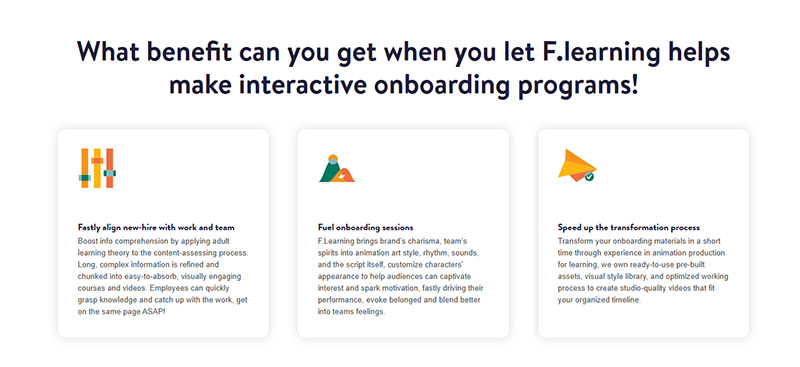
We break down dense, inconsistent materials into structured, bite-sized content that follows adult learning theory – making it easier to absorb, remember, and apply from day one.
Visualize Your Brand Culture
From animation style to character design and tone of voice – every element is tailored to reflect your brand identity, spark belonging, and bring your company culture to life.
Speed Up Without Sacrificing Quality
With pre-built assets, optimized workflows, and 6 months of free updates, we help you launch onboarding videos quickly – without overloading your internal teams.
Want to Make Your Onboarding a Hit?
You don’t need a Netflix budget to create onboarding that’s binge-worthy – just the right design approach, grounded in how people actually learn.
At F. Learning Studio, we help companies like yours turn static ILT into scroll-stopping, story-led onboarding. Whether it’s building micro-modules from scratch or transforming old training decks into action-driven episodes, our visual-first approach helps you:
- Boost retention and engagement
- Deliver consistent onboarding across teams and locations
- Reflect your brand’s personality through every visual and script
- Curious what this looks like in action? See our interactive onboarding toolkit
Or…Want to explore ideas tailored to your team? Book a free consultation – and let’s build onboarding that sticks.
- Email: [email protected]
- Fanpage: https://www.facebook.com/f.learningstudio
- Website: https://flearningstudio.com/
- LinkedIn: https://www.linkedin.com/company/f-learning-studio/
Ask your questions NOW
and get answered
within 12 hours!
Don’t stop here – keep reading to get more valuable insights:
- 3 Virtual Employee Engagement Ideas that Work in 2026
- eLearning Course Development: 8 Must-Know Steps in 2026
- Top 7 Explainer Video Script Writing Services for Your Project

Sean Bui the founder and creative director of F. Learning Studio, is a respected leader in the e-learning and multimedia production industry.
With over 10 years of experience, he has dedicated his career to helping organizations create engaging and impactful learning experiences. Under his leadership, F.Learning Studio has grown into a trusted partner for organizations in the education, healthcare, and corporate training sectors, producing over 2,000 minutes of educational animation.
Sean’s expertise in translating complex concepts into compelling animated videos and interactive learning experiences, as well as his active involvement in the e-learning community, have earned him a reputation as a trusted partner and thought leader in the field of educational technology.