An animated educational video is a short, purpose-built lesson that uses animation instead of live footage to teach one concept, process, or skill. It works because animation controls the speed at which information arrives, so a learner is never asked to decode a complex idea faster than they can process it.
The 9 videos below are the ones F. Learning Studio returns to when a client asks what good actually looks like: five grouped by learner age, from pre-school to adult, and four by industry. After the examples you will find what production costs at each quality tier, which animation style suits which audience, the steps and software involved in making your own, and the mistakes that waste the most budget.
What Separates a Good Educational Animation From a Nice-Looking One
Plenty of animation is pleasant to watch and teaches almost nothing. Before you judge the examples below, it helps to know what you are looking for. These are the four things F. Learning Studio designs every educational animation against:
- It controls pace and cognitive load. Complex relationships are revealed at the speed people can actually absorb them, not at the speed a presenter can talk.
- It forces the right order of understanding. Viewers cannot skip a step or rearrange the meaning; the logic unfolds exactly as intended.
- It shows what cannot be seen or inferred. Internal processes, invisible flows, and cause-and-effect chains become visible instead of described.
- It holds meaning across contexts. The same three-minute video means the same thing to a new hire in Manila and a supervisor in Manchester.
Use those four as a checklist while you watch. A video that only satisfies the first one is entertainment with a lesson attached.
5 Animated Educational Video Examples, by Learner Age
1. Pre-School: An Alphabet Song That Teaches Behaviour Too
F. Learning Studio worked with MNOP Kids on an animated educational series that teaches children positive behaviours and values. The alphabet episode below has come close to 200k views. What makes it work for this age group is restraint: one letter at a time, a repeated melody carrying the memory load, and characters that do the teaching rather than a narrator explaining over the top.
2. Primary-Age Kids: Explaining the Vagus Nerve Without Jargon
How would you explain what the vagus nerve does to an eight-year-old? Try it in words and you will reach for anatomy the child has no reference for. This explainer solves the problem by showing the nerve as a pathway with visible traffic, so the mechanism is understood before it is named. That is the same principle behind mental health animation for young learners: give the feeling a shape first, then attach the vocabulary.
3. School Students: Maths Tied to Situations They Recognise
Most maths animation fails in the same way: it animates the formula. This one animates the situation the formula is for, then lets the notation arrive as a shorthand for something the student has already understood. If you are producing material for a syllabus or a revision programme, that ordering matters more than the visual style, and it is the core idea behind animation for academic and exam preparation courses.
4. University: Academic Integrity for First-Year Medical Students
Academic integrity briefings are usually a policy document and a signature. This video replaces both with short scenarios: what plagiarism looks like in practice, where the line sits on collaboration, and what happens next. Scenario-led animation works here because the rule is easy to state and hard to apply, which is exactly the gap that text leaves open. It is the same approach behind F. Learning Studio’s training and education animation work for universities and L&D teams.
5. Adults: A Patient Explainer on Vestibular Migraine
This animation explains what vestibular migraine is, how it differs from other migraine types, and which symptoms and triggers to watch for. Note what it does not do: it never asks the viewer to hold two ideas at once. Each symptom is shown, named, and closed before the next appears. That discipline is what makes patient education animation usable in a waiting room, where attention is short and anxiety is high.
Inspired by great animated learning content? Discover the Top 10 Animated Video Production Companies to Inspire Your Next Campaign.
Those five cover pre-school through adult. If you want to see how the same principles play out across healthcare, NGO, higher education and product work, browse the full F. Learning Studio portfolio.
4 Animated Educational Video Examples, by Industry
1. Healthcare: A Colorectal Awareness Month Campaign
This video was made for a Colorectal Awareness Month campaign, explaining treatment options through situations a viewer recognises rather than clinical description. Awareness work has a harder job than clinical training: the audience did not choose to watch, so the first fifteen seconds have to earn the rest. Campaigns of this kind sit under public awareness and education campaigns, and the same visual grammar carries straight into healthcare and medical animation for patients, clinicians, and device manufacturers.
2. Finance: Loans and Bonds for Beginners
Financial concepts are abstract by definition. A bond is a promise, and a promise has no shape. This video gives each instrument a consistent visual identity and then shows money moving between them, so the relationship is watched rather than memorised. That trick, giving an abstraction a stable form before you manipulate it, is the heart of complex communication in any sector.
3. Workplace Training: A Drone Safety Explainer
Drone operators have to know exactly where they may not fly near an airport, and a map with hatched zones is not enough. F. Learning Studio produced this video to show the restricted areas in three dimensions, from the operator’s point of view, so the rule is spatial rather than legal. Safety content behaves like this in every industry: the moment a rule becomes a picture of a consequence, it stops being paperwork. That is the working model for compliance and process-driven training.
4. Engineering: How Current Moves Through a Circuit
Electrical engineering is full of processes that happen at a scale nobody can observe. Animation is the only medium that can slow an electron down and keep it accurate enough for a university course. This example takes an invisible flow and gives it a speed, a direction, and a bottleneck, which is why students can reason about the circuit afterwards instead of reciting it. The production method behind university science animation of this kind is broken down step by step in our UNSW case study on making science animation for online courses.
Why Animated Educational Videos Outperform Slides and Text
1. Narration Plus Matched Visuals Lowers the Effort of Understanding
The figure most often quoted here comes from HubSpot: 90% of the information sent to the brain is visual and is processed 60,000 times faster than text. Treat those exact numbers with some caution, because they are repeated far more often than they are sourced. The underlying point still holds and is well established: when a spoken explanation and a matching image arrive together, the viewer spends less effort decoding and more on understanding. Text alone makes them do both jobs at once.
2. It Turns Passive Reading Into a Sequenced Experience
A slide deck lets the learner jump, skim, and build the wrong mental model without noticing. An animated educational video removes that option. The material is seen and heard in a fixed order, and interactive elements can be layered on top so the learner has to act on what they just watched before moving forward.

3. One Video Serves Several Channels and Updates Cleanly
An animated educational video needs nothing more than an internet connection to reach a learner, which matters when your audience is spread across sites, shifts, and time zones. It is also cheaper to maintain than filmed content: when a policy or a product changes, you re-render the affected scenes instead of rebooking a crew, a location, and a presenter.
4. It Makes Difficult Subjects Approachable
Subjects like chemistry, statistics, and anatomy feel dry mostly because the teaching method hides the thing being taught. Educational animation for schools makes the mechanism visible: the reaction happens on screen, the distribution shifts as the sample grows, the valve opens. Students stop trying to picture it and start reasoning about it.
In summary, animated educational videos:
- Turn abstract ideas into concrete visuals that are easier to understand and remember.
- Make the learning experience more immersive than text or audio alone.
- Are easy to access, reuse, and update across platforms and devices.
- Help simplify complex concepts for different age groups, from kids to adults.
Which Animation Style Fits Which Audience
Style is not a taste decision. It is a function of who is watching and what they have to do afterwards. The table below is the shortcut we use when scoping a project.
| Audience | Style that usually works | Why | Watch out for |
| Pre-school and primary | Character-led 2D, bright palette, song or rhyme | Characters carry the lesson so no narrator authority is needed | Motion that competes with the narration and splits attention |
| Secondary and university students | Mixed 2D with diagrammatic motion graphics | Keeps the notation accurate while the situation stays relatable | Animating the formula instead of the situation it describes |
| Adult professionals in training | Clean motion graphics, minimal characters | Reads as on-brand internal communication, not entertainment | Humour that lands differently across regions and seniority |
| Patients and the general public | Simple 2D with a calm pace and generous pauses | Anxiety reduces working memory, so density has to drop | Clinically accurate visuals that are frightening out of context |
| Technical, product, and device audiences | 3D or high-detail 2D with cutaways | Spatial relationships and internal mechanisms need real geometry | Photoreal detail that adds cost without adding comprehension |
If you would rather judge by eye than by table, you can filter our portfolio by animation style and industry to see how each one behaves in a finished project.
Still not sure which style your audience needs?
Send us your topic and who has to learn it. We will animate a short sample in the style we would recommend, so you can judge the fit before any budget is committed.
Request a free animation demo No cost, no obligation to proceed.How Much an Animated Educational Video Costs
Cost is driven by three things above all others: how much finished animation you need in minutes, how much of it is custom-built rather than assembled from existing assets, and how many times it has to change after production starts. Here is the general picture by production tier.
| Types of animated video | Cost | Features | Typically used for |
| Basic 2D animated educational video | $800 – $6,000 per minute | Simple characters and backgrounds, basic movements, and minimal special effects. | Internal training modules, policy refreshers, short course segments |
| High-quality 2D animated educational video | $1,500-$10,000 per minute | Detailed characters and backgrounds, smooth animations, and more complex effects. | Flagship course content, patient education, public-facing campaigns |
| 3D animated educational video | $10,000 – $50,000 per minute | Highly detailed models, realistic movements, and advanced special effects. | Medical devices, machinery, surgical procedures, product mechanisms |
The ranges overlap because the tier only sets the floor. A basic 2D video with twelve custom characters and three voice-over languages will cost more than a high-quality 2D video with two characters and one. The variables that actually move the number are the count of custom characters and backgrounds, the number of localised audio tracks, how many revision rounds you build in, and how finished your script is on day one. An approved script and a locked storyboard are the cheapest cost control available, because every change after animation begins is paid for twice.
Worth weighing against the per-minute figure: a single well-scoped three-minute video that runs in your LMS, in onboarding, on the product page, and in a campaign usually costs less over two years than four cheap videos that each serve one channel and expire with it. Our FAQ page covers what a quote includes, how scope is agreed, and where budgets typically land.
How to Create an Animated Educational Video
The sequence below is the production path in its shortest honest form. Steps one to three decide whether the video teaches anything; steps four to nine decide how good it looks doing it.
- Define one learning objective. Name the single thing a viewer should be able to do afterwards, and who they are. If you cannot fit it in one sentence, you have two videos.
- Write the script to be heard. Short sentences, one idea each, and language a listener can follow without rewinding.
- Storyboard every scene. Sketch what appears on screen against each line of narration. This is the last cheap moment to change your mind.
- Design the visuals. Build or select the characters, backgrounds, and graphic system that match the script and your brand.
- Record the audio. Capture clean voice-over first, because the animation is timed to it and not the other way round.
- Animate. Bring the storyboard to life with movement, transitions, and effects that direct attention rather than decorate.
- Add music and sound design. Keep it under the narration; the moment a viewer notices the music, it is too loud.
- Review and edit. Check accuracy, pacing, captions, and flow, then fix in one consolidated round rather than a trickle of notes.
- Deliver in the formats you actually need. Export for your LMS, your site, and social separately, with captions and a transcript.
3 Mistakes That Cost the Most Time and Money
- Writing a script that reads well. Prose written for the eye sounds dense out loud. Read every draft aloud; if you run out of breath, the sentence is wrong.
- Stacking objectives into one video. Three lessons in six minutes is remembered as none. Split it into three two-minute modules and retention improves without extra production cost.
- Approving the storyboard casually. Storyboard sign-off is where stakeholders should argue. Notes that arrive after animation has started are the single most common source of overrun.
If you would rather see how a studio runs this end to end, our production process walks through each stage and who signs off on what. There are also free templates, checklists, and planning guides in the F. Learning Studio content hub.
5 Software Options for Making Animated Learning Videos
Two of these are free and genuinely capable; the other three trade money for speed or control. Pricing is list pricing at the time of writing, so check the vendor before you budget.
| Software | Key Features | Pricing | Best for |
| Adobe After Effects | – Extensive templates, effects, and plugins – Full animation control with keyframes and expressions – 3D animation and compositing – Integrates with Adobe Creative Cloud apps | US $20.99/month (individual plan) | Teams with a designer on staff who need full control |
| Animaker | – Pre-made templates, characters, and props – Multiple animation styles (whiteboard, 2D, etc.) – Built-in voiceover and music library – Drag-and-drop interface | Free plan availablePaid plans start at US $10/month | Trainers and educators with no animation background |
| Moho | – Bone rigging system for character animation – Advanced vector drawing tools – Supports physics simulation – Suitable for frame-by-frame and cut-out animation | Moho Debut: US $59.99Moho Pro: US $399.99 (one-time purchase) | Character-heavy series where rigs get reused |
| Pencil 2D | – Lightweight and easy to use – Supports both bitmap and vector graphics – Frame-by-frame animation – Cross-platform support | Free | Learning the fundamentals and quick hand-drawn tests |
| OpenToonz | – Advanced tools like GTS scanning, color correction, and motion tracking – Supports raster and vector animations – Offers plugins for effects – Ideal for frame-by-frame animation | Free | Traditional 2D production on a zero-software budget |
1. Adobe After Effects
After Effects is the industry default for motion graphics and the right choice when an educational video needs precise timing, data visualisation, or compositing. The trade-off is the learning curve: it rewards someone who already thinks in layers and keyframes and punishes an occasional user.
- Extensive library of templates, effects, and plugins
- Full control over animation with keyframes and expressions
- Supports 3D animation and compositing
- Seamless integration with other Adobe Creative Cloud apps (like Photoshop and Illustrator)
- Pricing: US $20.99/month (individual plan)
2. Animaker
Animaker is built for people whose job is training, not animation. Templates and drag-and-drop assembly get a serviceable explainer finished in an afternoon. The limit is visual identity: because everyone draws from the same asset library, the output rarely looks like your brand.
- Wide variety of pre-made templates, characters, and props
- Supports different animation styles (whiteboard, 2D, infographic)
- Built-in voiceover and music library
- Easy-to-use timeline editor
- Pricing: Free plan available; Paid plans start at US $10/month
3. Moho
Moho, formerly Anime Studio, earns its place through its bone rigging system. If your educational content is a series with recurring characters, rigging them once and reusing them across episodes is where the time savings compound. For a single one-off video, the setup cost rarely pays back.
- Bone rigging system for character animation
- Advanced vector-based drawing tools
- Supports physics simulation and motion tracking
- Suitable for both frame-by-frame and cut-out animation
- Pricing: Moho Debut (US $59.99) and Moho Pro (US $399.99) one-time purchase
4. Pencil 2D
Pencil 2D is free, open-source, and deliberately small. There is almost nothing to learn before you can draw a frame, which makes it a good way for a teacher or student to test whether an idea works before committing to heavier software.
- Lightweight and easy to use
- Supports both bitmap and vector graphics
- Frame-by-frame animation capability
- Cross-platform support (Windows, macOS, Linux)
- Pricing: Free
5. OpenToonz
OpenToonz is professional traditional-animation software given away for free, with a lineage that runs through Studio Ghibli’s production pipeline. It will do everything a frame-by-frame educational series needs. It will also expect you to understand a studio workflow, so budget learning time rather than licence fees.
- Advanced features like GTS scanning tool, color correction, and motion tracking
- Supports both raster and vector animations
- Offers plugins for effects and customization
- Ideal for creating frame-by-frame animation
- Pricing: Free
Animated Educational Video Channels Worth Studying
The four channels below are useful reference points because each one solves a different problem well. They are also good examples of edutainment, where the entertainment carries the lesson instead of interrupting it.
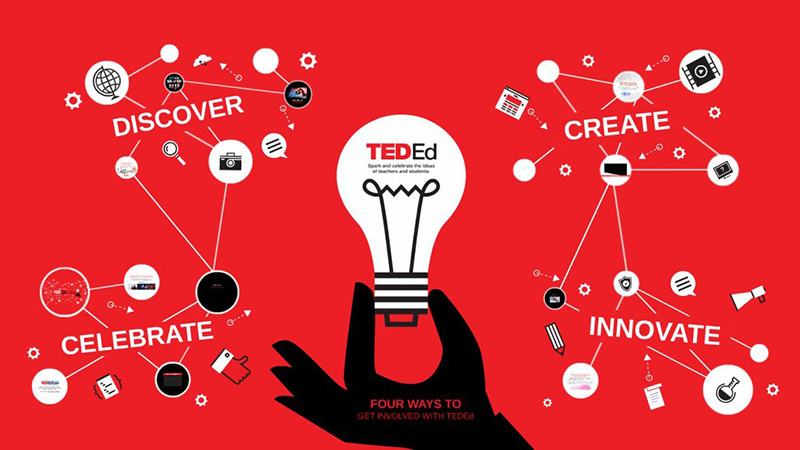
1. Ted-Ed
Ted-Ed turns complex ideas into short animated lessons across science, history, literature, and philosophy, produced with educators and animators worldwide. Study it for structure: almost every episode opens with a question the viewer wants answered and withholds the answer just long enough to hold attention.
2. Kurzgesagt (In a Nutshell)
Kurzgesagt explains space, biology, physics, and existential questions through a rigidly consistent visual system. Study it for visual discipline: the same shapes and colours mean the same things in every video, which is why viewers can follow arguments that would be unreadable as text.
3. Crash Course
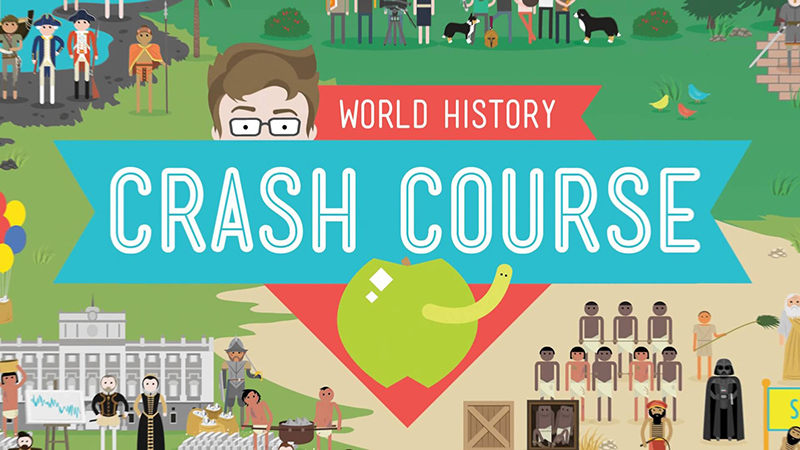
Crash Course, created by John and Hank Green, runs animated lessons across history, science, literature, and economics with subject experts hosting. Study it for pace: a presenter carries the momentum while animation handles anything the presenter cannot show, which keeps production cost down on long series.
4. Free Animated Education
Free Animated Education makes animated videos aimed squarely at teachers and students, simplifying maths, science, and language arts. Study it for economy: the animation is plain, the step-by-step explanations do the work, and it demonstrates how far clear sequencing gets you without a large production budget.
F. Learning Studio – Animated Educational Videos for Training, Education, and Healthcare
1. Nearly a Decade of Custom Educational Animation
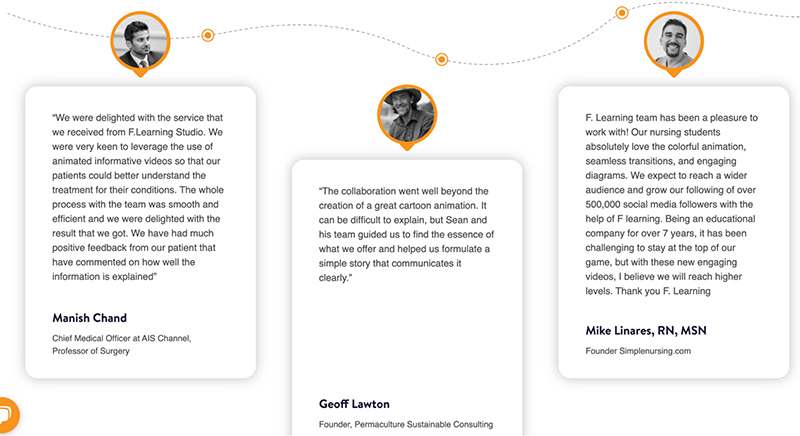
F. Learning Studio was founded in 2016 and has produced more than 2,000 minutes of educational animation since. Its clients include UNSW Sydney, WWF Vietnam, Stanford Medicine Children’s Health, NYU Langone Health, Evelina London Children’s Healthcare, and Electrolux, and the studio holds a 5.0 rating on Clutch.
2. Custom Production at Southeast Asia Rates
Based in Vietnam, F. Learning Studio delivers a full-package solution at a price point that is difficult to match in North America or Western Europe for the same level of custom work. Every project is scoped to a specific learning objective rather than fitted to a template, and the studio does not use AI-generated illustrations or assets. You can browse the finished work in our portfolio to see the reasoning behind each video.
3. A Process Built to Protect Your Timeline
Outsourcing animation carries a real risk: a studio that disappears for six weeks and returns with something you cannot use. F. Learning Studio manages that with staged sign-off at script, storyboard, and style frame, so a misunderstanding surfaces in week one rather than week nine. Clear communication is not a slogan here, it is the mechanism that keeps educational animation projects on schedule.
Where to Start
Animated educational videos are not just for children. They work wherever a concept is hard to picture, a rule is easy to misapply, or an audience has to reach the same understanding across different sites and languages. If you have a topic in mind, the fastest way to find out whether animation is the right format is to talk it through with someone who has produced it before.
- Book a free 30-minute consultation to scope your topic and audience.
- Request a free animation demo to see your subject in our style before committing.
- Contact the team with a brief, a deadline, or just a question.
- WhatsApp: (+84) 378 713 132
- Email: [email protected]
- Fanpage: https://www.facebook.com/f.learningstudio
- LinkedIn: https://www.linkedin.com/company/f-learning-studio/
FAQs About Animated Educational Videos
What is an animated educational video?
An animated educational video is a short lesson that uses animation instead of live footage to teach a concept, process, or skill. It combines visuals, narration, and sound so the learner sees the mechanism rather than imagining it from a description.
How much does an animated educational video cost?
Basic 2D educational animation runs roughly $800 to $6,000 per finished minute, high-quality 2D from about $1,500 to $10,000 per minute, and 3D from around $10,000 to $50,000 per minute. Within any tier, the price is driven by the number of custom characters and backgrounds, the number of voice-over languages, and how many revision rounds happen after animation begins.
How long should an animated educational video be?
Long enough for one learning objective and no longer. In practice that is usually two to four minutes. Several short modules that each teach one idea outperform a single long video covering the same ground, and they are far easier to update later.
What is the difference between an animated educational video and an explainer video?
An explainer video is built to make an audience understand and act, usually on a product or service, and success is measured in conversions. An animated educational video is built so a learner can apply the knowledge afterwards, and success is measured in comprehension and retention. The craft overlaps heavily; the scripting priorities do not.
Can I make an animated educational video myself?
Yes, for simple explainers. Beginner-friendly tools with templates and drag-and-drop editing will get you a usable video without an animation background. Bring in a studio when the subject is technical, when the video represents your brand externally, or when you need a consistent series rather than a one-off.
Which animation style should I choose for my learners?
Character-led 2D suits younger learners, clean motion graphics suit adult professional training, calm simple 2D suits patients and the general public, and 3D earns its cost when you need to show real geometry such as a device, a machine, or a procedure. The style table earlier in this article breaks down the trade-offs for each audience.
Where can I use animated educational videos?
Classrooms, LMS platforms, onboarding programmes, online courses, internal training libraries, and public awareness campaigns. One well-scoped video can usually be repurposed across several of these with small edits to the intro, the captions, and the closing frame.
Have a topic your learners keep getting wrong?
Tell us what people misunderstand and who has to understand it. In 30 minutes we will tell you whether animation is the right format, roughly what it would take, and what to prepare before anyone starts drawing. If you are earlier than that, take the planning templates instead.
Producing educational animation since 2016 · 5.0 rating on Clutch · Trusted by UNSW Sydney, NYU Langone Health, Stanford Medicine Children’s Health and Evelina London

Sean Bui, the founder and creative director of F. Learning Studio, is a respected leader in the e-learning and multimedia production industry.
With over 10 years of experience, he has dedicated his career to helping organizations create engaging and impactful learning experiences. Under his leadership, F.Learning Studio has grown into a trusted partner for organizations in the education, healthcare, and corporate training sectors, producing over 2,000 minutes of educational animation.
Sean’s expertise in translating complex concepts into compelling animated videos and interactive learning experiences, as well as his active involvement in the e-learning community, have earned him a reputation as a trusted partner and thought leader in the field of educational technology.